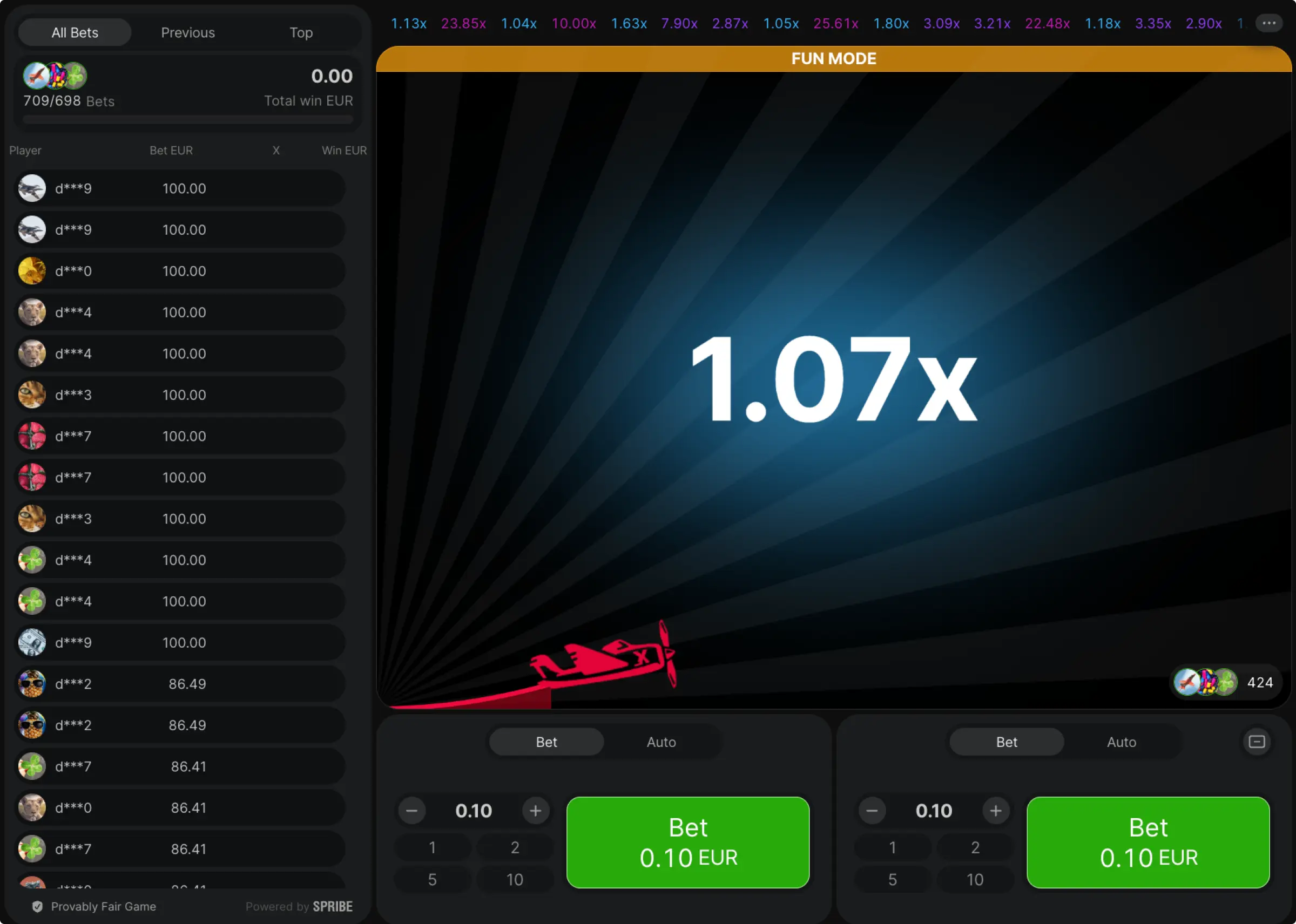
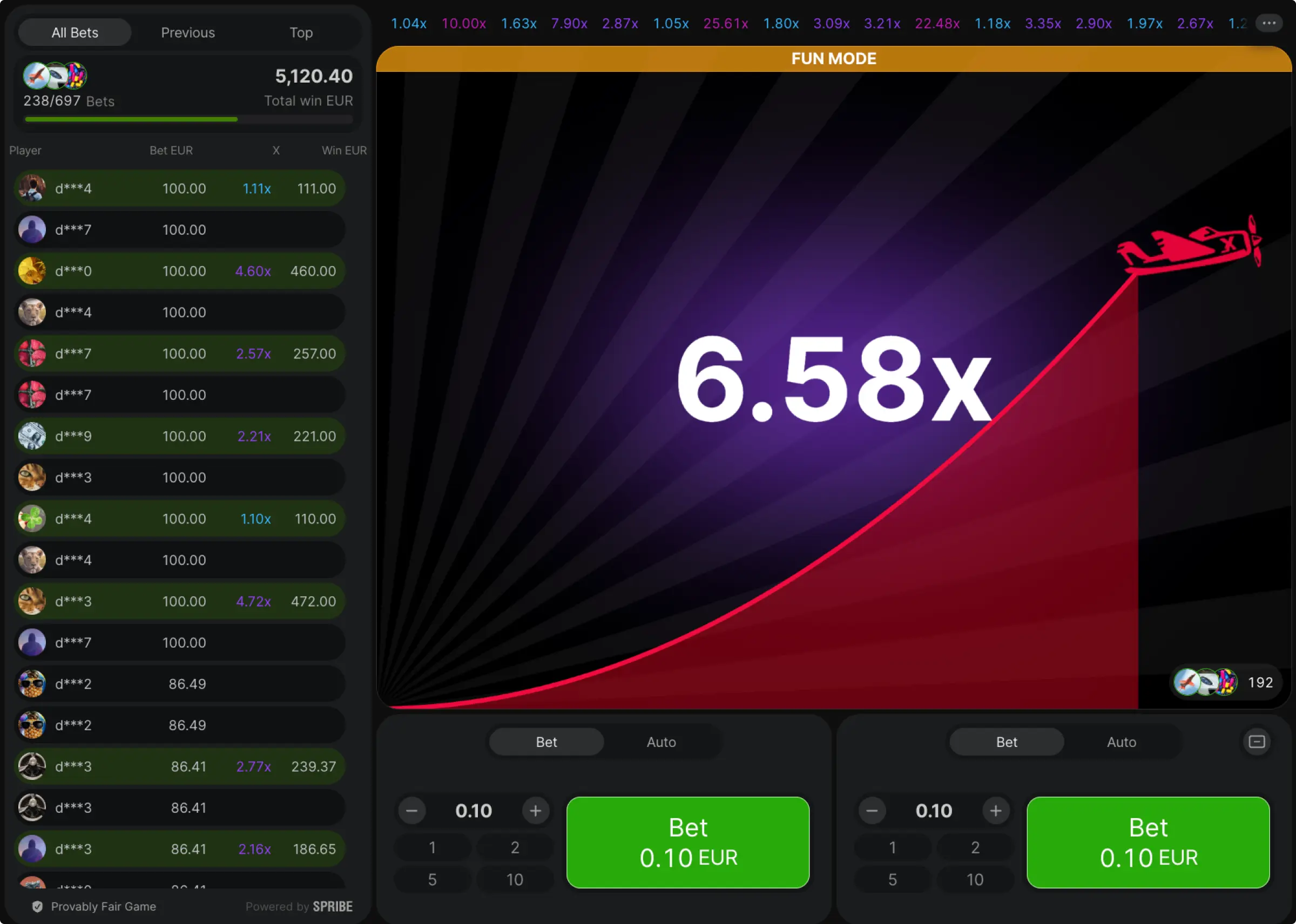
What Is Aviator Demo?
The Aviator game demo is the free, “fun mode” version of Spribe’s crash game. Everything looks and behaves like the real panel; you place one or two bets, the plane lifts off, the multiplier climbs from 1.01×, and you cash out before it flies away. The only difference is the bankroll; the Aviator demo version uses play credits instead of KES.
Why it matters in Kenya: connections and devices vary; the demo round shows you how the UI runs on your phone, how Auto Cash Out triggers, and how fast you need to tap on mobile web or the Aviator app, before you stake real KES.
How To Play Aviator In Demo Mode
Think of the Aviator demo as your no-risk training ground. In five minutes, you can see how the panel behaves on your phone, practice early vs late exits, and lock a routine before you ever touch KES. Follow this simple flow; then copy the example plan and run a short drill.
- Open A Casino Lobby: Search “Aviator”. Most sites show a Play Demo or Fun Mode button.
- Load The Panel: You’ll see your demo balance and the bet boxes (one or two).
- Set Stakes: Use the quick amount buttons; they affect play credits only.
- Pick Exits: Turn on Auto Cash Out for one bet; leave the other manual if you want to practice timing.
- Run Short Drills: Play 20–50 rounds; test early exits vs longer rides; take notes.
- Reset When Needed: If the demo bankroll empties, most lobbies let you refresh it.
Example plan: total per round “KES 40” (demo credits), Bet A 60% with Auto at 1.50×, Bet B 40% manual aiming 1.80–2.00×. After 50 rounds, check how often you missed the manual cash-out; if it’s high, lower that target by 0.20×.
Main Features Of Aviator Demo Mode
Before putting real KES on the line, the demo lets you feel the pace, test exits, and see how steady your routine is on your phone. Treat it like a small training ground; one session in demo often fixes the habits that cost money later.
Fun Mode And Demo Money
You play with a virtual balance that behaves like KES, only it is not real. That means you can try early exits at 1.40–1.60×, push a small second bet a bit higher, and reset if things go wrong. We like to change one setting at a time; first tighten Auto Cash Out, then adjust stake size, then try a different two-bet split, so you know what actually helped.
Latest Results
A live strip shows recent crash points. Use it to keep pace with the lobby, not to guess the future. When the board shows a run of low multipliers, keep your main auto where you planned it, for instance, 1.50×, and only trim the manual target slightly if the rhythm feels choppy. Building that discipline in demo pays off when you switch to KES.
Table With Best Of Other Users
Many lobbies highlight top cash-outs from other players. It is motivating, but it is not a roadmap for your stake. Read it, smile, and stick to your numbers; a steady 1.50× on the main bet plus a tiny long shot will usually keep your graph calmer than copying whatever just hit 7×.
Autobets Buttons
Autoplay repeats your chosen stake and Auto Cash Out each round, useful when you want a consistent routine. Set total “KES 40” in demo credits, keep Auto at 1.50×, let it run for 100 rounds, then look at the curve. If the balance line stays smoother than when you used 1.70×, keep the safer target for money play. You can stop Autoplay at any time; check that it is off before breaks.
Double Bets
Two bet fields let you split risk; one safe auto for steady ticks, one small manual for a measured shot. A 60/40 split works well for many players in Kenya; for extra stability, try 70/30 or even 80/20. With “KES 40” total in demo credits, set KES 24 to auto at 1.50× and KES 16 to manual around 1.90–2.00×; when the climb feels slow, take the manual chip earlier and protect the session.
Difference Between Demo Mode And Aviator On Money
Same panel, same takeoff, same multipliers, but the wallet and your brain change everything. Think of the Aviator demo as a sandbox; you learn timing with play credits. Real-money Aviator adds KES, M-Pesa, KYC, and emotions. Here’s the side-by-side so you know what shifts when you switch.
| Area | Aviator Demo | Aviator For Real Money |
|---|
| Bankroll | Play credits; refills on refresh | KES wallet; deposits via M-Pesa/cards |
| Emotion | Calm; no real loss | Pressure rises; tilt risk appears |
| Cashier/KYC | Not used | KYC needed; withdrawals follow operator rules |
| Bonuses/Promos | Not applicable | Terms may exclude crash games or cap % |
| Learning Value | High for timing and routine | High for money management and discipline |
Takeaway: the Aviator demo teaches mechanics and timing; real-money sessions test discipline. Use both; practice exists in demo, then copy the same targets and smaller stakes when you move to KES.
Benefits of Playing Aviator For Free
Before staking real KES, squeeze all the learning you can from the Aviator demo game. One short session can lock in habits that save money later.
- Zero Risk: try early exits at 1.40–1.60×, let a tiny second bet ride a bit, and reset if it goes wrong — no hit to your KES.
- Device Check: see how the panel behaves on your phone and network; confirm buttons, delays, and Auto Cash Out timing.
- Habit Building: repeat safe exits until tapping out near 1.50× is automatic, not a debate.
- Data, Not Guessing: after 50–100 rounds, you’ll know which targets you actually hit; keep the winners, trim the rest.
Cons Of Free Demo Mode
Free play teaches rhythm, but money pressure changes decisions. Know the gaps so you don’t get ambushed when you switch to KES.
- No Pressure = Different Brain: choices feel easy in demo; real KES adds nerves and second-guessing.
- Over-Confidence Trap: a hot demo run tempts higher targets (and bigger losses) in money play.
- No Cashier Reality: You won’t feel KYC checks or withdrawal timelines until you play for real.
Download Aviator Demo App
Most brands don’t offer a separate Aviator demo app; you use the casino’s mobile web or official app and tap Play Demo / Fun Mode inside the Aviator tile.
How to get it on your phone:
- Open the Kenya-facing casino site on mobile.
- If they offer an app, install it from their official page; otherwise, use mobile web.
- Search “Aviator”, tap Demo or Fun Mode, and start practice rounds.
Important: Avoid third-party “Aviator APKs” that promise predictions. For demo, you only need the casino’s own app or website.
Conclusion
The Aviator demo gives you the real cockpit without the risk; same take-off, same multipliers, same two-bet panel, only with play credits. In a few short sessions, you’ll learn the rhythm; how fast rounds feel on your phone; when an early exit at 1.40–1.60× calms the graph; when a tiny second bet is worth riding a little longer. We found that practising in the Aviator demo turns cashing out into muscle memory, so you are not guessing when the number climbs.
When you move from demo to real KES play, copy the plan exactly; do not raise targets because it is money now. Start smaller than your demo stakes; finish KYC first so M-Pesa withdrawals are smooth; set a session timer and a stop-loss you will actually respect. The game is quick; your routine keeps it calm. Keep the main bet disciplined; keep the “fun” bet tiny; cash out on your number, not the crowd’s.